A mechanical watch, taken apart in your browser.
Scroll and the bridges come off, the gears turn at their real ratios and the escapement slows down so you can watch it. Then you take the controls.
- RoleConcept, writing, model pipeline, renderer, mechanism solver, design and build. Made alone.
- StatusLive tech demo, free to use
- StackAstro, TypeScript, three.js, GSAP ScrollTrigger, glTF tooling
- PlatformStatic site on Cloudflare Pages
- ModelETA 6497-1 by Steen Winther, from GrabCAD, used with the author's permission and credited wherever it appears
What it is
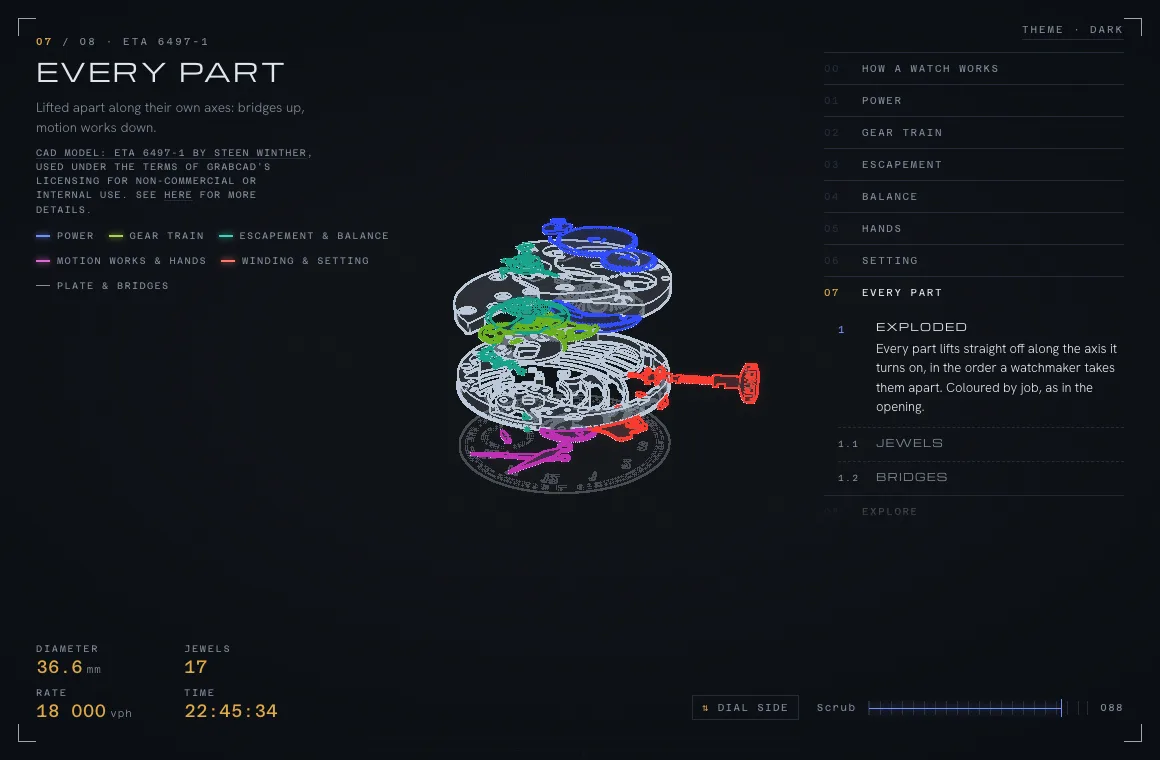
One page, one scroll. An ETA 6497-1, the hand-wound Swiss calibre that watchmaking students learn on, drawn live in the browser from a CAD model of every part. As you scroll, the bridges come off, the gear train is traced from the barrel to the escape wheel, the escapement is slowed down so you can see it lock and release, the balance and its hairspring are taken apart, and the whole movement is exploded along its own axes. At the end it hands the controls to you: drag to turn it, scroll to zoom, click any part for its card, change the speed, pull it apart.
I built it because I wanted to see whether a real mechanism, from real CAD, could be explained on a web page better than a video or a diagram can explain it. It can. The same approach works for a product, a machine, a building or a process, which is why it lives here.
How it is drawn
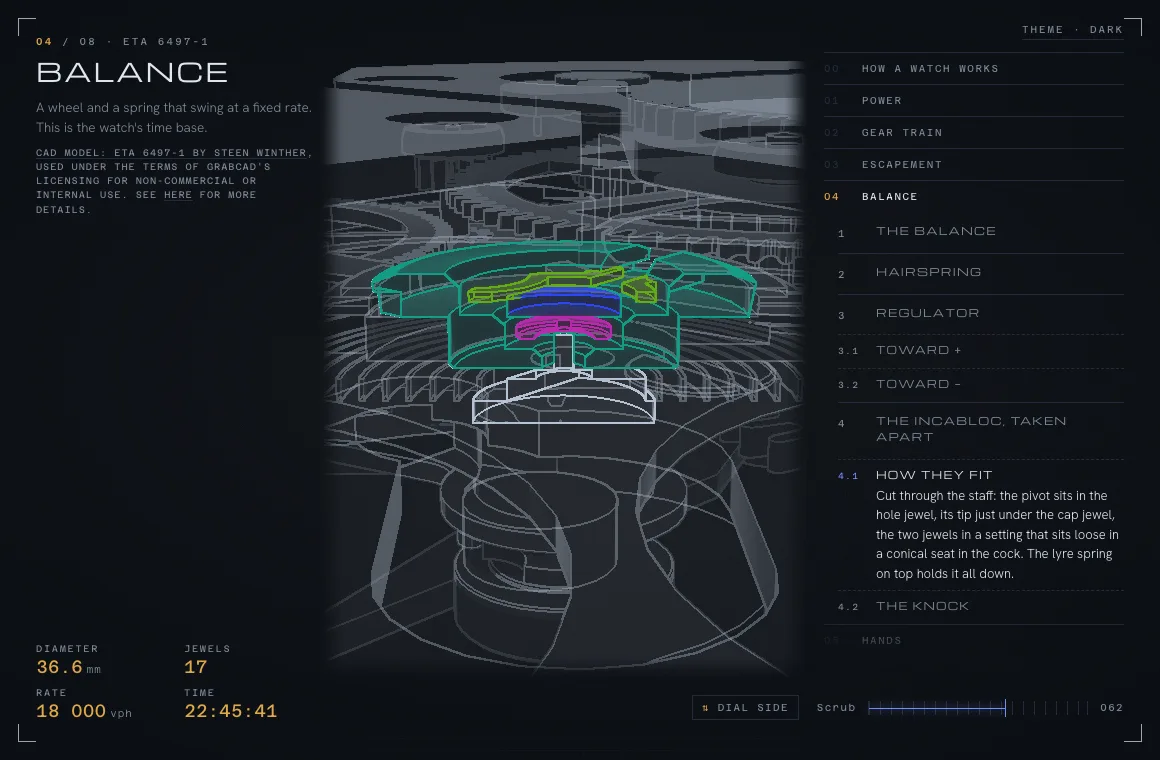
The movement is rendered as outlines, the way a technical drawing would show it, with the part being explained in colour and drawn whole on top of everything else. That is a custom renderer on three.js: the scene is drawn into buffers first, edges are found from depth and surface direction, and the lines are composed over a dimmed, see-through version of the rest of the movement. It reads as a drawing, and it stays legible on a phone, which a photoreal render of a watch does not.
Each step can cut the model with a plane to show the inside of a part, lift parts apart along their axes, swap a part for a variant, or hide what is in the way. The camera is part of the story: every step says where to stand, what to frame and whether to ride along with a moving part.
How it moves
Nothing in it is a canned animation. A small mechanism solver drives every part from a few rules: the balance swings at the calibre's published rate, the escapement frees half a tooth per swing, each wheel turns its pinion at ETA's own tooth ratios, the motion works turn one hour into twelve, and the hands keep your local time. Winding and setting are modelled too, so pulling the crown switches the keyless works from one job to the other.
Because the motion comes from the rules, the page can slow the escapement down so you can watch it, run the dial side in time-lapse, or reset the hands to the real time when you reach that chapter. A headless check runs the solver and asserts the couplings before any change ships, so the train can never quietly drift from how the real movement behaves.
The story as data
The whole tour is a typed list of steps. Each step is a few fields: a title and a paragraph, which part to highlight, which parts give it context, what to hide, where to cut, how far to explode, what the camera does and how fast the clock runs. Chapters group the steps and give the page its index. A schema validates the lot and flags any part a step refers to that does not exist.
That split, story in data and machinery in code, is what makes it reusable. Writing a new chapter is writing, with a few knobs. Nobody has to touch the renderer to explain a different part, or a different machine.
From CAD to the browser
The source is a full CAD assembly, which is far too heavy and far too detailed to send to a browser. A pipeline inspects it, counts the teeth on every wheel and pinion to check them against the published figures, maps the source meshes to named parts with their own pivots, simplifies the geometry, and writes one compact glTF plus a manifest the page reads. The raw model never leaves the build machine.
The same tooling accepts STEP, IGES, glTF, FBX and OBJ, so a client's engineering files go in at one end and a web-ready model comes out the other, with the provenance written down.
Why it matters for you
- A product your customers can turn around, open up and understand, on a page that loads fast on a phone
- A machine or an installation explained to buyers, trainees or regulators without a site visit or a video shoot
- A process or a building walked through step by step, with the camera and the explanation under your control
- Engineering data your own CAD team already has, turned into something the rest of the company can use